Use the Web Interface
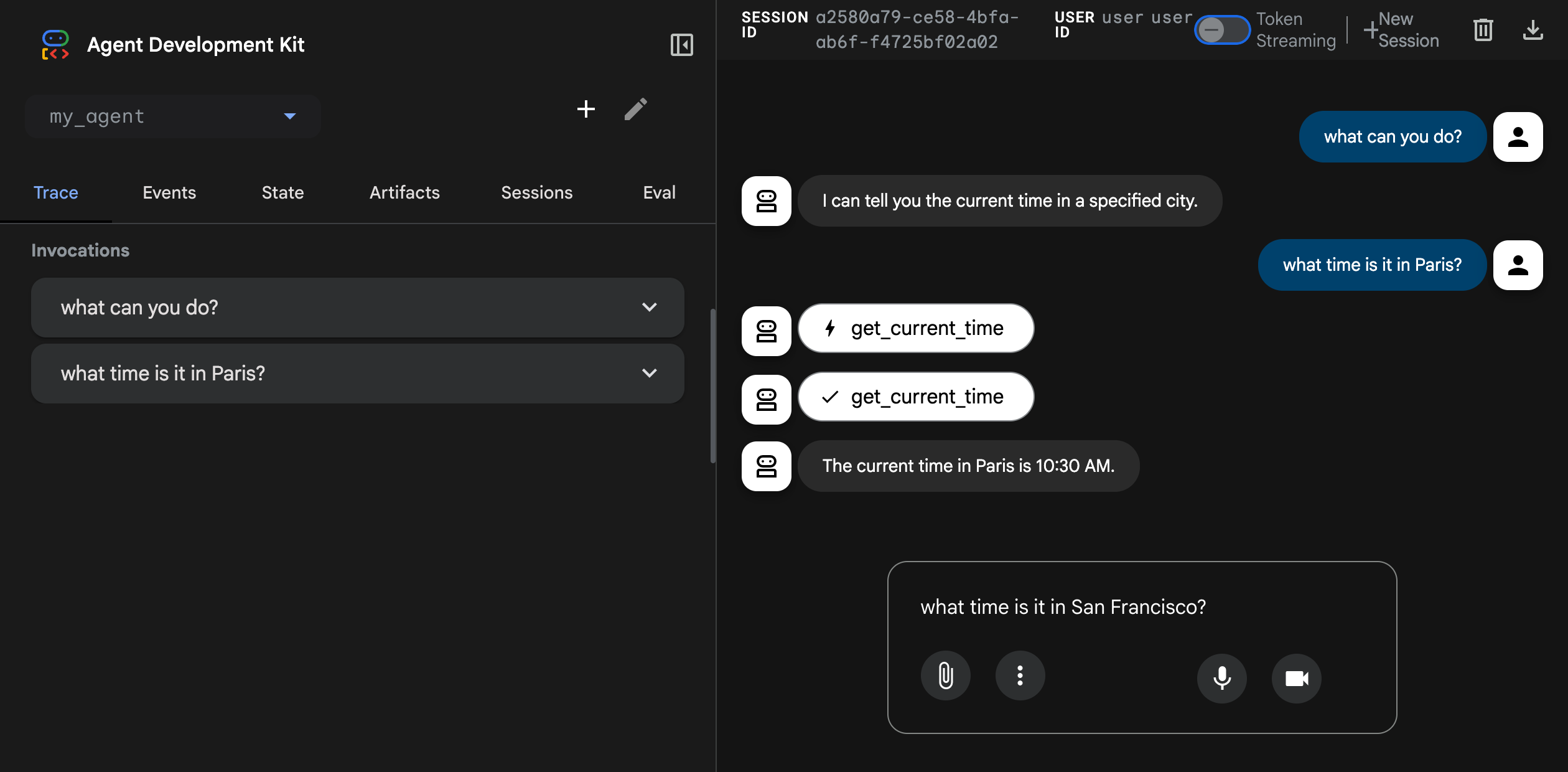
The ADK web interface lets you test your agents directly in the browser. This tool provides a simple way to interactively develop and debug your agents.
Caution: ADK Web for development only
ADK Web is not meant for use in production deployments. You should use ADK Web for development and debugging purposes only.
Key features of the ADK web interface include:
- Chat interface: Send messages to your agents and view responses in real-time
- Session management: Create and switch between sessions
- State inspection: View and modify session state during development
- Event history: Inspect all events generated during agent execution
- Visual Builder: Design agents visually with a drag-and-drop workflow editor and an AI-powered assistant (Python only, learn more)
Start the web interface
Use the following command to start the ADK web interface:
In Go, the web interface is not a standalone CLI tool. Instead, you embed
the launcher directly in your agent's main.go and pass arguments at
runtime. The full.NewLauncher() helper bundles the web server, REST API,
and Web UI into a single binary:
import (
    "google.golang.org/adk/v2/cmd/launcher"
    "google.golang.org/adk/v2/cmd/launcher/full"
)

func main() {
    // ... build your agent and config ...
    l := full.NewLauncher()
    if err := l.Execute(ctx, config, os.Args[1:]); err != nil {
        log.Fatalf("Run failed: %v\n\n%s", err, l.CommandLineSyntax())
    }
}
Then start the web interface by passing the web, api, and webui
subcommands on the command line:
The web keyword activates the HTTP server. api adds the ADK REST API
backend, and webui serves the browser-based chat interface. Both api
and webui are required to use the web interface together; either can be
omitted if you only need the API or UI independently.
Make sure to update the port number.
With Maven, compile and run the ADK web server:
With Gradle, the build.gradle or build.gradle.kts build file should have the following Java plugin in its plugins section:
tasks.register('runADKWebServer', JavaExec) {
    dependsOn classes
    classpath = sourceSets.main.runtimeClasspath
    mainClass = 'com.google.adk.web.AdkWebServer'
    args '--adk.agents.source-dir=src/main/java/agents', '--server.port=8000'
}
Finally, on the command-line, run the following command:
In Java, the web interface and the API server are bundled together.
Once started, the server prints the access URL to the console. Open it in your browser to use the web interface:
Common options
Here are some commonly used options for the adk web command. Run adk web
--help to see all available options.
| Option | Description | Default |
|---|---|---|
--port |
Port to run the server on | 8000 |
--host |
Host binding address | 127.0.0.1 |
--session_service_uri |
Custom session storage URI | Per-agent SQLite at <agents_dir>/<agent>/.adk/session.db |
--artifact_service_uri |
Custom artifact storage URI | Per-agent directory at <agents_dir>/<agent>/.adk/artifacts |
--reload/--no-reload |
Enable auto-reload on code changes | true |
Pass --no_use_local_storage to fall back to in-memory session and
artifact services instead of the local .adk folder.
For example:
Here are some commonly used options for the adk web command. Run adk web
--help to see all available options.
| Option | Description | Default |
|---|---|---|
--port |
Port to run the server on | 8000 |
--host |
Host binding address | 127.0.0.1 |
--session_service_uri |
Custom session storage URI | In-memory |
--artifact_service_uri |
Custom artifact storage URI | Local .adk/artifacts |
--reload/--no-reload |
Enable auto-reload on code changes | true |
For example:
Go flags differ from Python/TypeScript
The Go web launcher does not use the same flags as adk web in Python
or TypeScript. Options like --host, --session_service_uri,
--artifact_service_uri, and --reload are not available. Session and
artifact services are configured in Go code when constructing the
launcher.Config, not via command-line flags.
Flags are split across the web, api, and webui subcommands. Pass
flags after the relevant subcommand keyword.
web subcommand flags (passed directly after web):
| Flag | Description | Default |
|---|---|---|
-port |
Port for the HTTP server | 8080 |
-write-timeout |
Timeout for writing HTTP responses | 15s |
-read-timeout |
Timeout for reading HTTP requests | 15s |
-idle-timeout |
Keep-alive idle connection timeout | 60s |
-shutdown-timeout |
Graceful shutdown wait time | 15s |
-otel_to_cloud |
Export OpenTelemetry data to GCP | false |
api subcommand flags (passed after api):
| Flag | Description | Default |
|---|---|---|
-webui_address |
WebUI origin allowed for CORS | localhost:8080 |
-path_prefix |
URL path prefix for the REST API | /api |
-sse-write-timeout |
Timeout for SSE (streaming) responses | 120s |
-trace_capacity |
Max in-memory traces to retain | 10000 |
webui subcommand flags (passed after webui):
| Flag | Description | Default |
|---|---|---|
-api_server_address |
REST API URL as seen from the browser | http://localhost:8080/api |
For example, to run on port 9090 with a custom API prefix:
Usage telemetry
The ADK Web UI collects anonymous usage telemetry to understand feature adoption, discover usability issues, and improve your overall developer experience. Data collection is OFF by default until you explicitly choose to enable it.
You can enable or disable usage telemetry at any time by navigating to User Settings, the user icon on the top right of the screen, in the Web UI. This setting updates a single unified preference stored locally on your machine at ~/.adk/config.json. If you prefer, you can manually deactivate data collection by editing this file directly and setting the telemetry attribute to false:
What data is collected
When enabled, Web UI telemetry captures standard page events and feature interaction, including:
- Standard Navigation: Page views, session starts, and active session duration.
- Environment: ADK version and runtime language.
- Feature Usage: Using the builder mode feature, using the agent chat, toggling execution trace or event log viewers, creating evaluation sets, and clicking the agent structure graph view.
What data is not collected
The Web UI does not collect sensitive, private, or personal data, specifically:
- Contents of agent prompts, system instructions, or LLM responses.
- User credentials, usernames, API keys, OAuth tokens, or secrets.
- Google Cloud Project IDs or Cloud Account details.
- Personally Identifiable Information (PII).